
Hey, my friends. Camille’s here. That morning I opened Seedance 2.0, stared at a blank prompt, and whispered, “Easy now.” I’d been up late polishing a product reel, and I wanted to see, what is Seedance 2.0 really like when you’re tired, on deadline, and craving fewer clicks? I tested it across a handful of real client-style tasks: social covers, a 10-second product tease, and a short brand story. A few moments made me smile out loud. A few made me re-think my setup.
Here’s my quiet, practical Seedance 2.0 review, what changed, what matters in day-to-day use, and where it earns a permanent spot in my toolkit.
Seedance 2.0 in 60 seconds — what actually changed
Native audio generation (dialogue, SFX, BGM)
I used to generate silent clips in earlier Seedance versions, then hop to another tool for music, whooshes, and little tactile clicks. Bless my fiddly heart. In Seedance 2.0, native audio shows up as part of the generation, voice lines, background music, and simple SFX that match the visual beats. In practice, it trimmed two steps from my usual pipeline: no manual syncing, no extra export. Dialogue is still “AI voice” (don’t expect full voice acting nuance yet), but for TikTok-length teasers and product explainers, it’s good enough to ship after a quick volume balance. There we go.
16-second clip length and 1080p output
The new ceiling, 16 seconds at 1080p, hits a sweet spot for social. It’s long enough for a hook + reveal, short enough to render quickly. On my tests (three prompts, one image-to-video), 16-second generations landed in a few minutes. I didn’t stopwatch every run, but my jaw actually dropped a little on the third attempt when the audio and pacing clicked on the first pass. Ahh, that’s nicer. If you need 4K or long-form edits, you’ll still round-trip to an NLE. But for everyday reels, ads, and banners, 1080p keeps quality crisp without killing turnaround.
Reference-sensitive architecture, what this means in practice
This is the headline for me. Seedance 2.0 feels more “obedient” to your references, colors, logos, product contours, even fabric texture, while staying cinematic. Earlier models sometimes drifted: a bottle label warping, fabric turning to mush under motion. In 2.0, object identity holds up better shot-to-shot. I ran a matte-black skincare tube through three prompts with different camera moves: the cap threading, the logo spacing, the satin sheen all stayed consistent. Ooh, look at that. It’s not bulletproof, thin serifs can still flutter under extreme motion, but the reduction in clean‑up frames is real. For me, that’s minutes saved and fewer “fix it in post” sighs.
Core capabilities overview
Text-to-video
Type a prompt, get a clip. The magic is in the verbs and mood words: soft drift, glossy highlight, late‑afternoon warmth. Seedance 2.0 seems to parse style adjectives more faithfully than 1.0. I nudged it toward “quiet luxury” for a jewelry teaser and got restrained lighting with fewer hot spots. Well, that settled nicely.
Image-to-video
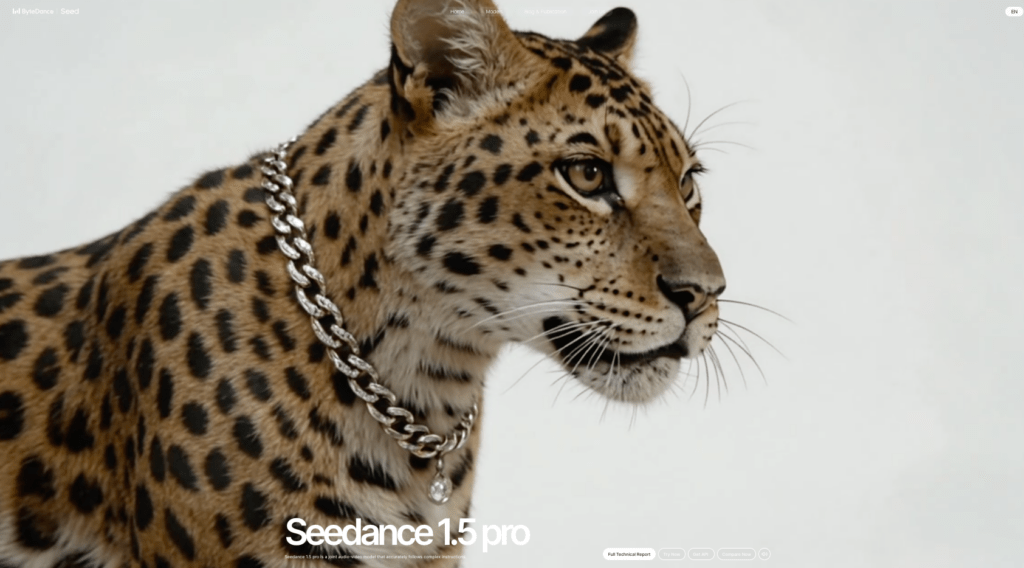
Give it a product shot or brand key visual, and it builds motion around what’s already true, shape, color, logo. Compared with 1.5 Pro, 2.0 kept my packaging edges cleaner during dolly-ins. Tip: start with a high-res, well-lit reference (no JPEG crumbs, please). When your base is crisp, Seedance’s motion renderer treats it like a hero asset rather than a suggestion.
Multi-shot storytelling
You can chain short beats, hook, mid, payoff, without jumping to a timeline editor. I stitched a three-beat story: cap twist, texture squeeze, on-skin glow. Seedance kept palette and product geometry consistent across all three. The transitions are basic cuts (no fancy wipes baked in yet), but the audio bed flows across shots, which makes it feel intentional. There… just right.
Camera control and motion language
This is where the “director brain” gets to play. Prompts like slow push, parallax pan, top‑down pivot, macro glide yield predictable moves, and 2.0 respects speed notes better than older builds. If you say “linger,” it lingers. If you say “fast whip,” it tries, though very fast lateral motion can still smear fine text. I’ve learned to temper it: ask for quick but not violent when typography matters. Play the lighting right and the visuals hit different.
How Seedance 2.0 compares to 1.0 and 1.5 Pro
Audio: silent generation vs native audio
1.0 and most of my 1.5 Pro runs were silent, which meant extra steps in Audition or CapCut. 2.0’s native audio won’t replace a sound designer, but it trims friction. I’d call it “publishable with light tweaks.” For voiceovers outside the supported styles or languages, I still swap in a custom track.
Reference control improvements
Across side‑by‑side tests (same product, same prompt), 2.0 held logos, surface finish, and color temperature more faithfully. It’s most noticeable on glossy plastics and metallics that used to morph under aggressive lighting. Past me was so serious about frame-by-frame patching: present me just smiles and moves on.
Generation speed and credit cost
My anecdotal take: 2.0 feels a touch faster per second of output than 1.5 Pro, likely due to architecture optimizations. Credit pricing and quotas can change: check the current pricing page in the app. Practically, I’m seeing fewer re‑rolls to “get it right,” which lowers total cost per usable clip. Mmm, that feels good.
Where asset quality matters most
Why Seedance 2.0 is more reference-sensitive than earlier models
Under the hood, 2.0 seems tuned to anchor on your input, edges, patterns, brand marks, before adding motion and relighting. That means it rewards clean references and punishes noisy ones. The payoff: less identity drift and more “that’s our product, not a cousin of our product.”
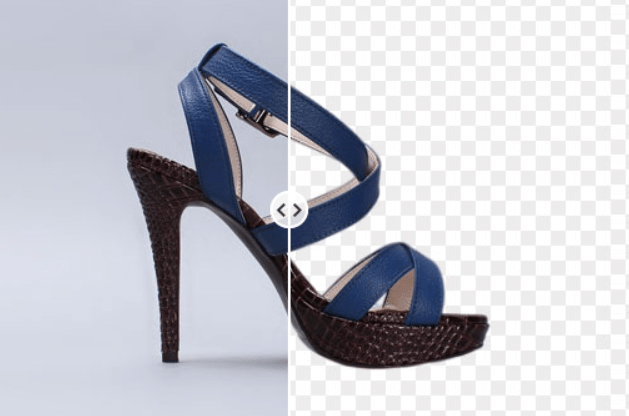
If you’re not sure what a solid starting point looks like, a reliable clean cutout workflow can make a noticeable difference before you even hit generate.
How clean cutouts improve output stability
Shaky mattes cause haloing and label jitter, especially during pushes and spins. When I fed it a precise PNG cutout (as opposed to a rough lasso), label stability improved across all frames, and specular highlights behaved. On one run, simply fixing a wispy hair edge stopped the background from pulsing. Tiny change, big calm. There we go.
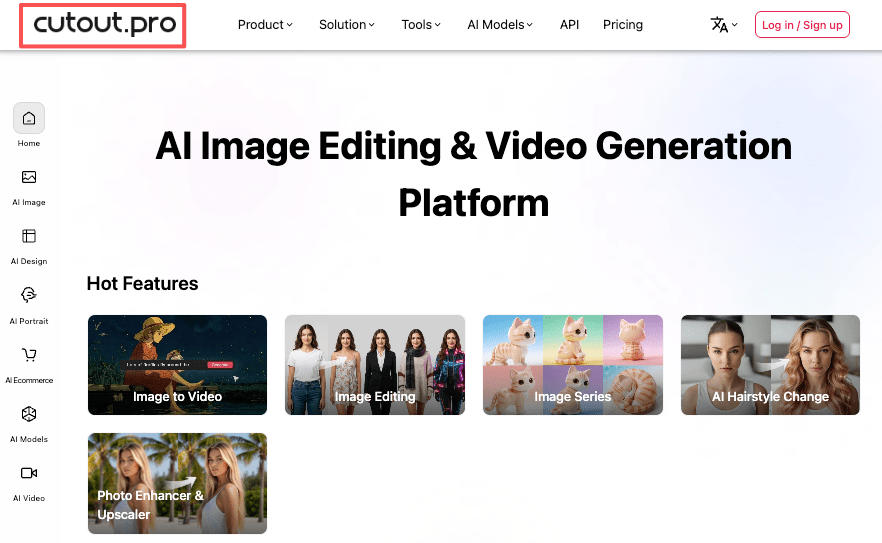
Preparing your reference images with Cutout.Pro
If you’re starting from busy backgrounds, I’ve had good results pre‑cleaning with Cutout.Pro. My quick pass: auto remove background, refine hair or translucent edges, export at 2x the intended frame height. Feeding Seedance a crisp, high‑res cutout reduces crawliness in text and keeps micro‑details (stitching, emboss) intact. One and done, no back‑and‑forth nonsense.
Who should use Seedance 2.0
Content creators and social media teams
If your world is hooks, reveals, and quick swipes, Seedance 2.0 is friendly. Native audio and tighter reference control mean you can draft, polish, and post faster, often in a single sitting. Colors hit just right and suddenly it’s luxury.
E-commerce sellers making product videos
Short, clean product motion at 1080p with stable logos? That’s Tuesday. Pair 2.0 with good cutouts and you’ll get consistent, on-brand loops for PDPs, ads, and emails without spinning up a full video team.
Developers building video pipelines
The predictability of motion language and reference adherence makes 2.0 easier to automate. If you’re templating scenes (swap SKU, keep move), the stability helps reduce QC flags. Just budget for audio customization if you need brand voices.
FAQ
Q1: Is Seedance 2.0 free to use?
Availability and pricing shift by plan and region. 2.0 was accessible on paid tiers in my account. If you’re reading this later, check the in‑app pricing page for the latest.
Q2: What languages does the native audio support?
I heard multiple English voice styles and a handful of non‑English options in the current build. Coverage will vary and may expand over time. If you need a specific language or accent, test a short script first, no guesswork.
Q3: Can I use my own voice or audio track?
Yes, you can swap in a custom track during or after generation. For branded work, I often mute the AI voice, keep Seedance’s SFX/BGM, and drop in a recorded VO. It’s a tidy compromise.
Q4: How does Seedance 2.0 handle fast motion?
Quick moves are fine: extreme whips can blur thin text or hairlines. Ask for controlled speed in prompts, or design around it (bolder type, thicker outlines).
Q5: Where can I access Seedance 2.0?
Through the same Seedance interface you use for 1.x. Look for the 2.0 model selector in the generator. For API or pipeline questions, the official docs are your friend, and if something’s unclear, I gently ping support and get on with my day.
All right, rest easy now. Beautiful design doesn’t have to feel heavy. Try Seedance 2.0 on your next short clip, maybe a neat 10–16 seconds, and see how much lighter your process feels. There… feels gentle, doesn’t it?
Until next time, keep it light, keep it lovely.
Previous Posts:
Seedance 2.0 Storyboard Workflow: Build Reusable Cutout Frames for Shot Continuity
Seedance 2.0 vs Sora 2:Reference control,Asset Inputs & When Cutouts Win
Seedance 2.0 Reference Strategy: Assign Each Asset a Role (Hero, Style, Motion)