
Table of Contents
I’m Camille. I opened a client brief, stared at a blank video slot, and whispered, “All right, Vidu Q3, let’s make you easy.” If you’re here, you’re probably in the same boat, curious about how to accessVidu Q3 worldwide without wrestling app stores, payments, or region settings. I get it. I want the good stuff fast, with zero drama, so the creative part can breathe.
Here’s my gentle, no-fuss walkthrough. I’ll show you where Vidu Q3 usually lives in the product, what rollout signals to watch, and how to sidestep the most common login and payment snags. There we go.
Where Vidu Q3 Shows Up in the Product
If you’re scanning every menu like it’s a hidden Easter egg hunt (been there), here’s where Vidu Q3 typically appears once your account is eligible:
- Model/version selector: Look for a dropdown or toggle near the prompt box or project settings labeled something like “Model,” “Version,” or “Engine.” Vidu Q3 often sits alongside earlier generations (Q1, Q2, “Legacy,” “Classic”). If you see “Vidu Q3 (Preview)” or “Vidu Q3 High Fidelity,” that’s your sign.
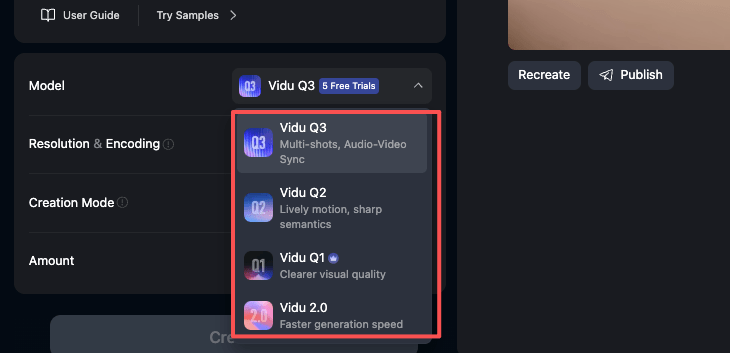
- Quality presets: In Render/Export, you may see presets, Standard, High, Vidu Q3. The wording varies, but if there’s a higher-tier option with notes like “better motion consistency,” that’s likely Vidu Q3.
- Template or style packs: Some templates are tagged for a specific generation. If a template lists “Requires Vidu Q3,” selecting it will auto-pick the model for you.
- Project migration nudge: When you open older projects, a small banner may invite you to “Re-render with Vidu Q3 for improved quality.” Click it if you want the upgrade: keep the original if you’re mid-campaign and color timing is locked.
- API flag (for devs): If you’re using the API, check the model parameter docs. Vidu Q3 is commonly exposed as a distinct model/version string. Not sure which? Compare the model list endpoint or capabilities matrix, Vidu Q3 should be explicit there.
Region + Rollout Signals

Feature rollouts rarely flip on for everyone at the same minute (wouldn’t that be nice?). Access to Vidu Q3 is often phased by region, compliance, and infrastructure capacity. Here’s how I check, quietly, quickly, no spirals:
Signals you likely have Vidu Q3 already:
- You can see Vidu Q3 in the model/version dropdown without any “region not supported” tooltip.
- New templates mention “Optimized for Vidu Q3,” and they let you render rather than redirecting you to an info page.
- Credits/billing screens reference Vidu Q3-tier pricing or “Vidu Q3 minutes.” If pricing tiers changed, rollout probably reached your account.
- Release notes in-app mention Vidu Q3 and match your app/web build version.
Signals you might be in the next wave:
- You see Vidu Q3 listed but it’s grayed out with a small lock or region note.
- Help Center or status page lists your country/region as “rolling out.”
- Mobile app changelog references Vidu Q3, but your desktop/web account hasn’t caught up yet (or vice versa). Staggered channels are common.
A few region-aware tips that save time:
- App store region vs. account region: If your mobile app pulls from Store Region A, but your Vidu billing profile is Region B, you can get mixed signals. Align them if possible (or expect a short delay until servers reconcile your entitlements). Old habits, still learning.
- VPNs: If a VPN is allowed in your local laws and policies, it may reveal UI elements but won’t always grant rendering rights if billing or KYC says otherwise. I treat VPNs as a preview, not a promise.
- Compliance flows: Some regions unlock Vidu Q3 only after additional verification (ID checks, business details, or tax numbers). If prompted, completing that once usually prevents future hiccups.
If you’re not seeing Vidu Q3 and think you should:
- Sign out/in, clear cache, or reinstall the app, feature flags can be stubborn.
- Check your workspace role, admins sometimes have Vidu Q3 before contributors.
- Glance at the official release notes or status page for staggered dates. And breathe. “Well, that settled nicely.”
Common Login / Payment Issues
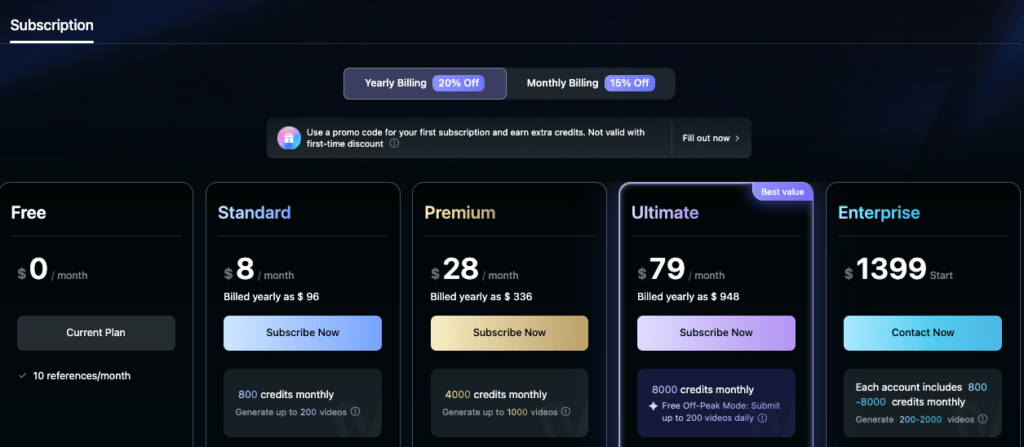
When Vidu Q3 lands, most hiccups come from account edges, login loops, SMS codes, or cards that suddenly act shy. Here are the ones I see most, plus the gentle fixes that usually do it.
Login + access quirks:
- One-time codes (OTP) not arriving: Check if your number is in international format with country code, and try an alternate channel (email OTP). Some carriers filter short codes: switching to email is faster than arguing with a telecom robot.
- SSO mismatch: If you used Google/Apple sign-in once and password login another time, you may have created a shadow account. Use the same method you first used. Support can merge in many cases, ask.
- Workspace vs. personal: You can see Vidu Q3 in your personal space but not in your client’s workspace (or vice versa). That’s role permissions again, request “Editor” or above.
- Age/KYC prompts: If the system asks for verification and you skip it, Vidu Q3 might remain locked. I set aside five calm minutes, a good light source, and just… get it done.
Payment + plan snags:
- 3D Secure hiccups: Some banks require an extra confirmation step that times out on older mobile browsers. Try desktop or a different browser, then re-check your bank app notifications.
- Prepaid or virtual cards: Many are blocked for subscriptions. If yours fails, try a debit/credit card tied to a bank account, or a wallet like Apple Pay/Google Pay if supported in your region.
- Address or ZIP mismatch: Make sure your billing address matches your card’s statement address exactly (including apartment formatting). One stray comma and, poof, decline.
- Currency and tax surprises: Cross-border cards sometimes add conversion flags that look like fraud. A quick call or in-app chat to your bank (“this is me, please allow”) fixes more than you’d think.
- Company cards: If you’re on a corporate card, your finance team may have merchant category or spend caps. A brief heads-up email saves the back-and-forth.
Quick Fixes Checklist
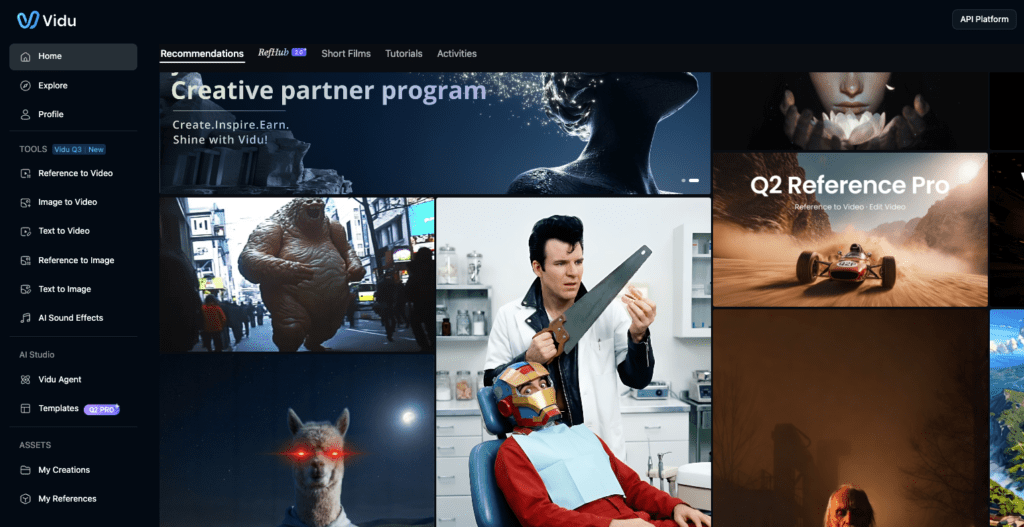
- Confirm you’re in the correct workspace (top-left switcher) and have Editor/Admin rights.
- Log out/in, then hard refresh (Ctrl/Cmd+Shift+R) or clear cache.
- Update to the latest app version: compare build numbers with the release notes.
- Align app store region and billing profile region where possible.
- Toggle a different model, save, then switch back to Vidu Q3, forces a capability refresh.
- Re-run payment with a 3D Secure-friendly browser, or try a different card/wallet.
- Fix phone format with country code: fall back to email OTP if SMS lags.
- Screenshot any errors with timestamps, order IDs, and last 4 digits of the card (only what’s safe to share). “Hehe, nice when it works.”
Support + Escalation Tips
If you’ve been patient and kind to your cache and it’s still a no, time to escalate thoughtfully. I try to make it effortless for support to say yes.
Before you write in, gather:
- Exact time (with timezone) of the failure and what you clicked.
- Screenshots or short screen recordings (20–30 seconds is perfect).
- Your plan tier, workspace name, and whether others in your team can see Vidu Q3.
- Payment proof if relevant: invoice number, last 4 digits of the card, and any bank decline codes/notifications.
Where to go first:
- In-app Help or Help Center: Search for “Vidu Q3 availability,” “model access,” or “render entitlements.” Official articles change fastest, worth a skim even if you’re sleepy.
- Status page: If renders or billing are in a partial outage, waiting 30–60 minutes often beats heroic troubleshooting.
- Workspace admin: Ask if they’ve limited Vidu Q3 to certain roles or geographies. It happens.
What to ask for (politely):
- “Can you confirm Vidu Q3 availability for my region and account tier?”
- “Could you manually refresh my entitlements? My invoice shows the Vidu Q3 plan.”
- “If Vidu Q3 is region-locked for now, is there an estimated timeline or a preview access option?”
A few boundaries to keep life calm:
- Avoid multi-platform payment retries in quick succession (web, iOS, Android). It can trigger fraud flags. One platform, one clean attempt.
- Chargebacks are last resort, they freeze accounts and slow everything. Support usually solves faster if you show receipts and error logs.
- If you’re building with the API, test the model list endpoint in a dedicated test project first. Separate test and production keys so you don’t burn credits on experiments.
And then, breathe. If it can rescue my sleepy brain at 10 p.m., imagine what it’ll do for you. Mmm, that feels good.
A gentle close for creators:
- Keep one reliable baseline template in your back pocket. When Vidu Q3 unlocks, duplicate it and switch the model, to hear the difference without losing your groove.
- Try a small render first, then scale. “Oh, that’s lovely.”
- When the lighting and motion finally click into place: There… done. No fuss, just calm.
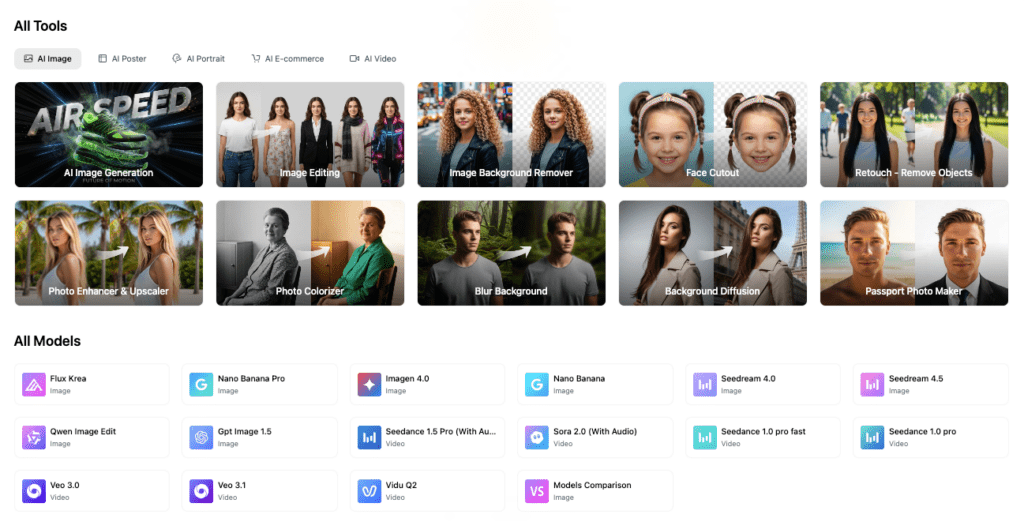
Beautiful design doesn’t have to feel heavy. Try Vidu Q3 on your next piece, you might surprise yourself.
While you focus on crafting smooth renders and timing, let us handle the tedious bits. At Cutout.Pro, we help you quickly remove backgrounds, prep assets, and save precious creative time.
Previous posts:
What Is Vidu Q3? The 16s Native Audio-Video Model Released Jan 30, 2026
How to Use Vidu Q3 Text to Video (Step-by-Step)
How to Write Prompts for Vidu Q3 Native Audio (Dialogue + SFX + BGM)