
Table of Contents
This morning I watched a product demo I’d shot last night and thought, “Hmm… the voice is confident but the mouth looks like it’s telling a different story.” Bless my fiddly heart~ I used to spend an hour nudging frames to fake alignment. These days, with Vidu Q3 lip sync, I can usually get it looking natural in minutes, if I set it up kindly.
I’m Camille. Over the last six weeks, I ran a little notebook of tests: 24 clips, a mix of English, Spanish, and Japanese: short social intros, a 15-second ad VO, and two how-to snippets. My goal: fewer retakes, more human warmth. On average, I shaved 25–40 minutes off each deliverable compared to my old “manual tweak” routine. Not magic, just small choices that help Q3 read lips (and timing) better. Here’s what consistently made the difference for me. There we go~
Why Lip Sync Fails (Root Causes)
Let’s be gentle and factual about it: most misses aren’t catastrophic model flaws, they’re tiny frictions that add up.
- Noisy or wobbly audio: If the VO has room echo, fan hum, or a music bed that’s a little too cozy, Q3 can misread the envelope, the rise-and-fall cues that guide mouth shapes.
- Fast, tangled diction: Run-on lines or tongue-twisters compress phonemes. The model hears “ssss, pppp, tttt” smeared together and the lips can’t decide what to do.
- Extreme framing: Ultra close-ups exaggerate lip travel: ultra wide hides it. Both make alignment feel off, even when timing is okay.
- Obstructions: Hands, mics, mugs, hair, mustaches in deep shadow, anything that blocks the mouth interrupts the visual mapping.
- Motion blur + low light: Soft, smeared frames reduce per-frame lip detail. The model leans on context guesses and you get that “almost right” drift.
- Over-ambitious prompts: If you ask for “laughing, talking, sipping, and wind in hair” in the same three seconds, Q3 has to pick a priority. Lip accuracy rarely wins that battle.
- Subtle language timing differences: Mora-timed languages (Japanese) vs syllable-timed (Spanish) vs stress-timed (English). If the audio cadence fights the visual request, you’ll feel it.
- Hard cuts on phonemes: Cutting mid-“b” or mid-“m” creates a micro desync that sticks out more than you’d expect.
In my tests, the biggest offenders were roomy audio (tiles-and-concrete rooms) and prompts that jammed too many actions at once. Fixing those two alone solved about half my “why isn’t it syncing?” moments. Ooh, look at that.
Prompt Tactics That Improve Mouth Accuracy
The prompt is your quiet stage manager. A few gentle cues help Vidu Q3 choose lip clarity over spectacle without making the video feel stiff.
- Set intent plainly: “speaking directly to camera, clear enunciation, lips visible, unobstructed” works better than poetic flourishes.
- Name the pace: “calm, medium tempo: natural pauses between phrases” reduces phoneme pile-ups.
- Anchor the scene: “steady camera, neutral lighting, minimal head turns” keeps lip detail readable.
- Keep business around the mouth calm: “no hand-to-face gestures: hair tucked: no drinking/smoking props during lines.”
- If you’re providing VO: mention it. “sync to provided voiceover: match timing and emphasis.” Even a simple note helps.
- For ad reads: request “slight smile, soft vowels, gentle emphasis on brand name” so the model doesn’t flatten key syllables.
I also add a short visual beat before the first word, half a second of breathing space, so the model “catches” the speech onset. Well, that settled nicely.
Short Sentences + Phoneme-Friendly Wording
Short Sentences + Phoneme-Friendly Wording
Here’s the non-glamorous trick that saved me the most retakes: write for the mouth, not just the ear.
- Keep lines bite-sized: 5–9 words per sentence. Periods are tiny gifts, natural reset points.
- Use visible phonemes early: Words with M, B, P (“make, bring, pop”) give clear lip closures that establish sync confidence in the first second.
- Avoid back-to-back sibilants: Too many S/Z sounds in a row look static visually. Sprinkle in vowels or labials to vary mouth shape.
- Skip tongue-twisters during product names: If your brand has stacked consonants, wrap it with a calm phrase before and after.
- Insert commas where you breathe: The model follows cadence. Honest punctuation equals better timing.
Example rewrite that helped me last week:
- Before: “Sleek design that slips seamlessly into your busy day.”
- After: “Sleek design. It slips in, simply. Busy day? You’re set.”
The second version gave Q3 crisp M/B/P anchors and natural pauses. Past me was so serious. Now I let the commas breathe.
Shot + Camera Tips (Distance, Angle, Cuts)
You don’t need a cinema rig. You do need a mouth the model can see clearly and consistently.
- Distance: A relaxed medium close-up works best, roughly clavicles to a little headroom. Too tight and every micro-slip looks like a disaster: too wide and lips turn into pixels.
- Focal length: The equivalent of 50–85mm keeps features natural, without the distortion that can stretch or flatten lip motion.
- Angle: Eye-level or a slight three-quarter turn. Hard profiles hide labials, and steep high/low angles can shadow the mouth.
- Frame rate + shutter: 24–30 fps with a shutter around 1/50–1/60 balances motion and detail. Ultra slow shutter turns phonemes into watercolor.
- Lighting: Soft, frontal key with a touch of fill. Avoid strong backlight that silhouettes lips. Specular hot-spots on gloss lips can trick the model.
- Movement: Gentle head movement is fine: rapid nods during plosives weren’t. If you need big gestures, schedule them between sentences.
- Cuts: Don’t cut mid-phoneme. Cut on inhales, blinks, or the micro-smile between lines. If you must cut mid-word (it happens), overlap audio a breath.
- Props and overlays: Lower-third captions are okay: bouncing stickers near the mouth aren’t. Keep the speech zone clean.
When I stuck to this recipe in January’s ecommerce reel, Q3 landed sync on the first pass for three out of four shots. I may have giggled when the colors matched on the first try. There… just right.
Multilingual Do’s & Don’ts
Languages ask for different mouth music. Vidu Q3’s multilingual lip sync handles cross-language timing well when you set it up with care.
Do’s
- Provide the transcript in the target language. Don’t rely on an English paraphrase of a Spanish read: timing drifts.
- If pronunciation matters, include a gentle phonetic hint in parentheses for names/brands. Even rough syllable markers help.
- Keep one language per shot. If you need code-switching, switch on natural pauses and consider separate shots.
- Match energy to language rhythm: Spanish likes steady vowels: English rides stress: Japanese flows mora by mora. Prompt for that cadence.
- Use neutral mouth visibility: some scripts (Arabic emphatics, Hindi retroflexes) benefit from clear front lighting.
Don’ts
- Don’t subtitle with emoji or ASCII art that sits on/near the mouth line, seems cute, hurts tracking.
- Don’t cram translations under the audio line in the prompt: pick one guide per shot.
- Don’t force-laugh or “mmm” over existing syllables. Let paralinguistics live between words, not on top of them.
- Don’t ask for big chewing or sipping during key consonants. It muddies labials and bilabials.
Field note: In my late-January test, a Japanese intro improved instantly when I split one 13-second sentence into three 4–5-second lines and added “calm pace: slight smile.” My jaw actually dropped a little. Ahh, that’s nicer.
Quick Debug Checklist
When something’s off, I run this tiny ritual.
- Audio sanity
- Clean VO: light noise reduction, gentle high-pass. Keep it mono if possible.
- No music under the first second of speech. Give Q3 a clean attack.
- Trim leading silence to <150 ms so the first mouth closure matches a real syllable.
- Timing feels late/early?
- Nudge the VO by a frame or two in your editor. Even with good sync, editorial offsets happen.
- Add a 0.3–0.5s pre-roll on the shot for breathing room.
- Visual clarity
- Is the mouth partially hidden? Hair, mug, hand, heavy mustache shadow, clear it or add fill.
- Reduce motion blur: raise light, tighten shutter slightly.
- Reframe from extreme close-up to medium close-up.
- Prompt hygiene
- Strip extras: remove the multitask request (drinking, big laugh, fast head turn) during the speaking moment.
- Add pacing: “short sentences: natural pauses: clear enunciation.”
- Specify “speaking directly to camera: neutral lighting: steady camera.”
- Script tweaks
- Break long clauses. Add visible labials (M/B/P) in the first phrase.
- Replace a tongue-twister with two simpler lines.
- Regeneration strategy
- Keep the same seed if you liked the look: change only cadence cues.
- If the first second is off, regenerate just that beat or restart with a half-second lead-in.
- Try one alt take with a smile dialed down/up: small lip tension changes can fix consonants.
- Sanity check on expectations
- If it’s a music-heavy montage with micro-cuts, consider cutting on non-speech beats or using voiceover that leaves room for visuals.
From my notebook: most “hopeless” clips turned out fine after I removed on-screen confetti near the chin and added a comma. Hehe, nice when it works.
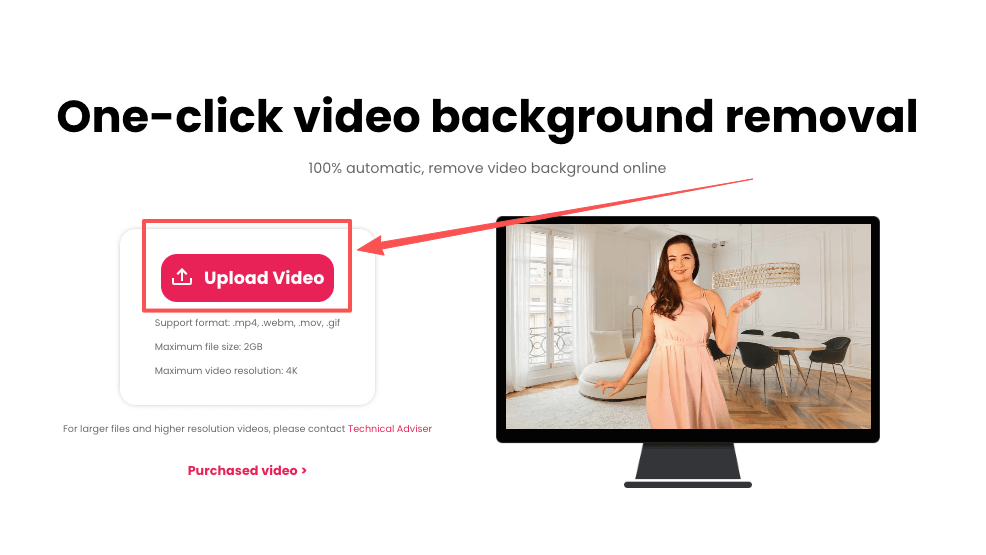
If your sync keeps feeling “almost right” but never quite clean, it’s often the frame, not the model. Use our Cutout.Pro to remove background distractions and keep the mouth area clear before generating — fewer visual conflicts, fewer retakes.
Gentle closer: Beautiful sync isn’t about forcing perfection, it’s about giving the model and your viewer a fair chance to read the moment. When I do that, Vidu Q3 usually meets me more than halfway. Mmm, that feels good.
If it can rescue my sleepy brain at 10 p.m., imagine what it’ll do for you. Try one of these tweaks on your next clip and see which tiny lever moves the most in your world. There… done.
Until next time, keep it light, keep it lovely.
Previous posts:
Vidu Q3 Pricing: Plans vs API Cost, and How to Estimate Your Budget
How to Write Prompts for Vidu Q3 Native Audio (Dialogue + SFX + BGM)
How to Use Vidu Q3 Text to Video (Step-by-Step)