
Table of Contents
Hello, my friends. I’m Camille. That morning I stared at a silent product clip and thought, “We’re missing the heartbeat.” You know that feeling, beautiful visuals, but the moment you add sound, it either feels cheesy or like a fog horn sitting on your frame. Lately I’ve been playing with the Vidu Q3 audio prompt workflow to fix that, and it’s been quietly lovely. The right words turn into dialogue that breathes, ambience that wraps, and background music that knows its place.
I tested this across two weeks on a handful of client-style mockups, product reels, a cozy vlog intro, a skincare ad, and a storefront loop.
How Vidu Q3 “Hears” Your Prompt
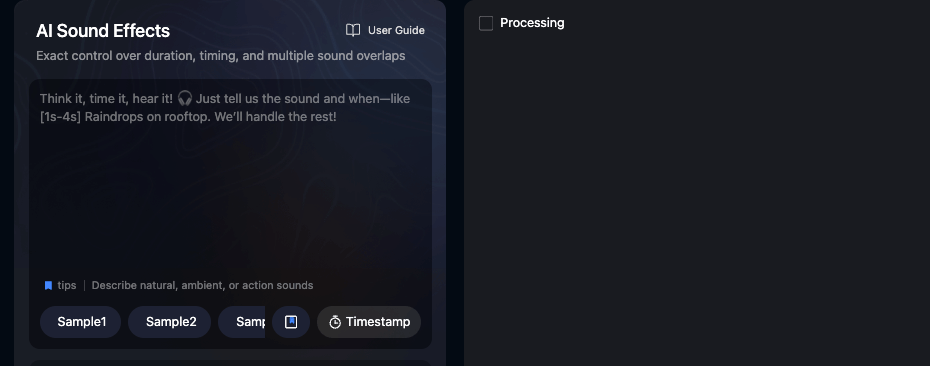
When I say “audio prompt,” I mean you write a short description and Vidu Q3 generates the soundtrack, dialogue voice, SFX/ambience, and BGM, often in one pass.According to Media.io’s Vidu Q3 documentation, the model features “native audio-visual sync (voice, music, SFX)” that generates sound and visuals together in a single generation. It’s not magic, but it’s surprisingly coachable if you speak its language.
Here’s what Q3 seems to parse well:
- Roles and lanes: If you name the pieces, Dialogue, SFX, Ambience, BGM, Q3 assigns behaviors more cleanly. I literally write “Dialogue:” or “BGM:” as headers in the same prompt.
- Scene beats and timing: Short time markers like “0–3s,” “3–7s,” “7–12s” help it pace crescendos and rests. Doesn’t need SMPTE precision, just clear slices.
- Performance adjectives: It responds to tone cues like “soft smile,” “whispered confidence,” “close mic, warm,” or “semi-dry room.” Sensory words > tech specs.
- Mix guidance: “Music -12 dB under dialogue,” “duck on speech,” “light sidechain feel.” It won’t hit numbers perfectly, but the intent usually translates. My jaw did a tiny drop the first time it ducked tastefully. Ahh, that’s nicer.
- Loop intent: Say “seamless 20s loop” or “one-shot sting, no tail.” Otherwise endings can blur.
Where it stumbles, well, occasionally it gets generous with sub-bass or adds a whoosh where nobody invited one. Bless my fiddly heart~ I used to fuss forever: now I add one line: “No risers or whooshes unless specified.” That trimmed my cleanup passes from three to one.
Dialogue Prompt Patterns
Dialogue is where viewers decide if they trust you. With Q3, I treat the voice like a performer I’m directing.
A simple structure I keep reusing:
- Dialogue: [language/accent], [voice age + vibe], [distance/mic], [pace], [emotion arc], [pauses], [pronunciation notes]
- Example: “Dialogue: EN-US, warm contralto, intimate close-mic, unhurried 95–110 wpm, calm-optimistic. Natural breaths. Emphasize ‘velvet finish’ + ‘SPF 30.’ Soft smile.”
Notes from the field:
- Distance cues matter. “Close-mic, intimate” vs “medium distance, airy room” changes the feel instantly. Ooh, look at that.
- Pacing over punctuation. If you want micro-pauses, say “0.2–0.3s pauses after key phrases.” It keeps reads human.
- Tricky names/brands: Add a phonetic hint in parentheses. Saves retakes.
- Temperature wording: “Friendly, not chirpy.” “Assured, not preachy.” Those contrasts help.
Here’s the little trick that made my week: If you separate dialogue from everything else with a blank line, Q3 more reliably avoids smearing ambience into the voice.
Natural Pacing + Language Tags
Language tags help Q3 choose a default cadence. I’ve had consistent reads with tags like EN-US, EN-UK, ES-MX, FR-FR, and JP. If an accent matters, write “EN-UK, soft Northern hint” or “ES-ES (neutral).” For multilingual clips, I break it per time slice:
- 0–4s: Dialogue [EN-US], slow, warm
- 4–7s: Dialogue [ES-MX], same voice, keep breathy tone
Past me was so serious about forcing perfect timing. Now I just nudge with “gentle pause before ‘introducing'” and let Q3 handle the breath. There… just right.
SFX + Ambience Patterns

SFX and ambience paint the mood faster than any LUT. But it’s easy to over-season.
My reliable pattern:
- Ambience: [environment], [texture], [stereo width], [distance], [loop length], [avoid list]
- SFX: [specific actions], [perspective], [dry/wet], [tail length], [no clutter]
Examples that behaved well:
- “Ambience: boutique store, soft HVAC hush, light foot scuffs, narrow stereo, 20s seamless loop, no birds, no traffic.” Well, that settled nicely.
- “SFX: fabric swish at 1.2s and 2.0s, dry, close, no reverb tail: light box open at 3.4s, subtle.”
BGM Patterns (Mood, BPM, Transitions)
Music is the glue, and the quickest way to drown your dialogue. With Q3, I specify behavior first, flavor second.
My BGM scaffold:
- BGM: [genre + palette], [mood words], [BPM or range], [arrangement/sections], [mix behavior], [avoid list]
For product reels, I love: “BGM: light electronic with felt piano, elegant not flashy, 88–96 BPM, intro (0–2s) sparse then groove, keep under dialogue by -12 dB, gentle sidechain on voice, no risers.” The first time Q3 tucked the kick under the voice I did a tiny happy clap. Hehe, nice when it works.
Avoiding Muddy Mixes
Muddiness = too much low-mid hugging your dialogue. To keep clarity:
- Say “thin the low-mids 200–500 Hz under voice” or simply “keep music light around the voice.” Q3 understands the intention.
- “No wide pad during speech, plucks and light keys only.”
- “Duck 2–3 dB on every line start.”
If it still gets dense, I regenerate with one extra line: “Sparser arrangement during speech: save layers for visuals-only beats.” Past me would stack five EQs. Present me just smiles and writes one sentence. Mmm, that feels good.
10 Ready-to-Copy Prompts
Here are ten Vidu Q3 audio prompts I’ve actually used or lightly adapted in the past two weeks. Copy, tweak, and go. Not sponsored: just what worked for me.
- Clean product reel (skincare, 12s)
- Dialogue: EN-US, warm contralto, intimate close-mic, 100 wpm, soft smile. Emphasize “velvet finish” and “SPF 30.” Natural breaths, micro-pauses after claims.
- Ambience: minimal studio hush, near-silent, 12s one-shot, no tonal hum.
- SFX: gentle cap twist at 2.4s, soft pump at 3.0s, silk fabric swish at 6.8s, all dry, close.
- BGM: elegant minimal electronic + felt piano, 92 BPM, keep -12 dB under voice, no risers, end with 0.2s button.

- Cozy vlog intro (8s)
- Dialogue: EN-UK, friendly alto, 95 wpm, “cup-of-tea cozy.”
- Ambience: small room warmth, subtle.
- SFX: porcelain cup set-down at 2.2s, paper page flip at 4.0s.
- BGM: lo-fi plucks + brushed kit, 78–82 BPM, light sidechain on voice.
- App demo (UI beeps kept tidy, 15s)
- Dialogue: EN-US, clear and calm, 110 wpm.
- Ambience: none.
- SFX: soft UI taps at 3.1s, 6.4s, 9.0s, 12.7s: short, no reverb: no extra whooshes.
- BGM: neutral tech bed, 100 BPM, thin low-mids during speech, tiny lift at 13s.
- Fashion lookbook beat (no dialogue, 10s loop)
- Ambience: runway crowd hush (very soft), wide stereo, seamless 10s loop, no chants.
- SFX: fabric rustle at 1.0s and 5.0s, heel click at 3.0s (medium distance).
- BGM: glossy house-lite, 118 BPM, chic not loud, loop clean.
- TikTok recipe quickie (12s)
- Dialogue: EN-US, cheerful but not chirpy, 115 wpm, playful.
- SFX: chop at 2.1s, sizzle at 4.0s (medium, short tail), plate set at 9.5s.
- Ambience: kitchen room tone, soft.
- BGM: sunny acoustic + light clap, 96 BPM, duck on speech.
- Cinematic reveal (15s, no talking)
- Ambience: large hall air, subtle, no rumble.
- SFX: slow cloth pull at 5.2s, camera shutter at 12.0s, tasteful.
- BGM: modern cinematic pulse, 76 BPM, start sparse, swell at 6s, button at 14.8s, no trailer braaams.
- ASMR unboxing (20s)
- Dialogue: whisper EN-US, very soft, slow pace.
- Ambience: silent room, noise floor minimal.
- SFX: crisp tape peel 3.2s, paper crinkle 7.5s, lid lift 10.8s, all ultra-close, dry, short tails.
- BGM: none during speech: add faint airy pad only at 15–20s.
- Podcast cold open (10s)
- Dialogue: EN-US, conversational baritone, 95 wpm.
- Ambience: studio hush.
- SFX: subtle toggle click at 0.5s.
- BGM: warm indie groove, 92 BPM, starts at 2s under voice, tag with 0.3s sting at 9.7s.
- Storefront ambience loop (30s loop)
- Ambience: boutique day ambience, soft HVAC, distant footsteps, occasional quiet hanger slide: narrow stereo: seamless 30s loop: no traffic, no birds.
- SFX: register tap once at 12s, very soft.
- BGM: none.
- Short ad with punchy tagline (12s)
- Dialogue: EN-US, crisp and confident, 120 wpm: pause before tagline at 9s.
- SFX: quick snap at 9.2s.
- Ambience: minimal.
- BGM: pop-lite groove, 100 BPM, keep -10 dB under voice: micro-break at 9s, strong 0.2s button on 11.8s.
When you’re juggling prompts, loops, and SFX timing, every extra minute counts. Cutout.Pro steps in to handle the tedious masking and background tasks, letting you focus on pacing, mood, and the magic moments.
👉 Start your smoother workflow here.
If any of these come out a touch heavy, I add one line and rerun: “Sparser arrangement during speech: no extra whooshes.” Most times, there, done. See? Feels better.
Previous posts:
What Is Vidu Q3? The 16s Native Audio-Video Model Released Jan 30, 2026
How to Use Vidu Q3 Text to Video (Step-by-Step)
Clean Assets AI Video: Why Seedance 2.0 Results Start Before You Hit Generate