That day, I had a sudden inspiration. I ran the same idea through Vidu Q3 andVidu Q2 Pro, side by side, just to see which one would behave better when I’m tired and on deadline.
I’m your friend, Camille. If you’re weighing Vidu Q3 vs Vidu Q2 Pro, here’s the quiet truth from my desk: both can look gorgeous, but they reward slightly different instincts. And if you match the model to the moment, you get that sweet spot of speed + polish. All right, come walk with me.
The Real Difference (Native Audio vs Reference Control)
Here’s the thing I felt right away:
Vidu Q3: stronger native audio. It tends to generate voice, ambience, and timing in one go, so your clip lands with synced speech and believable room tone. In my tests, Q3’s lip timing didn’t make me squint, there we go~. For social-first videos, explainer bits, or quick ad tests, that one-pass audio saved me 10–15 minutes per 10–15s clip because I wasn’t hopping to a separate sound workflow.
Vidu Q2 Pro: stronger reference control. When I fed it a brand board, a hero product angle, or a specific motion cue, Q2 Pro held the look. Colors stayed faithful, logos kept their proportions, and camera moves repeated cleanly across iterations. I know “consistency” sounds boring, but if you’ve ever tried to match a Tuesday cut to a Friday cut, oof, you’ll appreciate it.
Why this matters in practice:
If sound is part of your idea, Q3 lets you sketch with audio from minute one. You “feel” the piece sooner, which helps with pacing and performance shots. My jaw actually dropped a little when the voiceover landed close to the mood I described (not perfect, but close enough to guide edits).
If brand faithfulness is the deal-breaker, Q2 Pro reduces the sanding. I used to fuss forever… silly. Q2 Pro made it easier to repeat the exact lighting feel and camera attitude across a 4-asset set without the weird drift you sometimes get from pure text prompts.
Caveats and limits:
Availability and options vary. Some Q3 audio controls (voice style, language nuance) felt a bit black-box. If you need granular control, you may still want a DAW pass.
Q2 Pro’s discipline can feel “safer” at the cost of spontaneity. When I wanted a surprise flare or looser camera jazz, I had to nudge it with stronger stylistic cues.
If you remember nothing else: Q3 gets you sound and timing in one breath: Q2 Pro gets you repeatable looks that behave well in a system.
Best Use Cases by Workflow
Let’s place each model where it shines so you can stop guessing and start shipping.
Social shorts with dialogue or ASMR moments (Q3): Reels/TikTok where the voice and motion should land together. I did three concepts in under an hour, and having draft audio in the same render helped me pick a winner faster. “Ahh, that’s nicer.”
E‑commerce story clips with consistent angles (Q2 Pro): Rotating product shots across a series, same lens feel, same pace. It kept my reflective surfaces clean and not melty.
Concept previews for clients (Q3): When clients can hear the timing, approvals come quicker. I shaved an email thread off the process because the draft already had its vibe.
Brand system packs (Q2 Pro): If you need five banners and two short videos to look like siblings, reference control keeps the family resemblance.
Lightweight ad testing (both): Q3 for quick sound-on variations: Q2 Pro for look-locked variants. I alternated them and got a tidy matrix of options without overthinking.
When Q2 Pro Beats Q3
There are a few moments where Q2 Pro quietly wins for me:
Tight logo and packaging fidelity: Foil stamps, micro-type, pattern alignment, Q2 Pro held them better in my January runs. Fewer touch-up passes in Photoshop = minutes saved.
Camera repeatability: I could say “repeat last week’s 35mm dolly-left, medium-soft backlight” and it behaved. Well, that settled nicely.
Batch production: When I spun up 12 product angles for one catalog page, Q2 Pro gave me predictable results that slotted into the layout without re-cropping gymnastics.
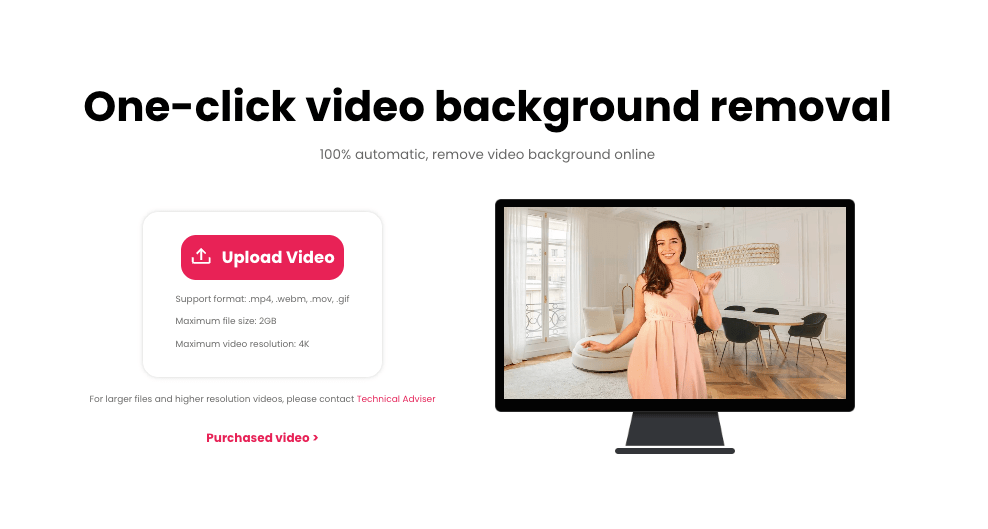
A small tip: To ensure that the materials are quick, clean, with complete edges and logos, you can first use our Cutout.Pro to automatically handle the background and edges. Then, import them into Vidu Q3 or Q2 Pro. This way, the entire process will be smoother and more efficient.
Where Q3 definitely punched above: character pieces, narrator-led bits, and anything where the rhythm of cuts matters right away. “Mmm, that feels good.”
Decision Tree (5 Questions)
Try these five quick checks. Answer them in your head, pick a lane, and move on, no fuss, just calm.
Do you need usable audio in the first draft?
Yes: Start with Q3. You’ll hear pacing early and spend less time guessing.
No/Not sure: Go Q2 Pro if visuals must be on-brand: you can layer audio later.
Is brand consistency the top priority across multiple assets?
Yes: Q2 Pro. Its reference control keeps colors, type feel, and camera attitude in line.
No: If you want exploratory motion and happy accidents, Q3 can feel more alive.
Are you iterating fast in front of a client or team?
Yes: Q3, because native audio helps people “get it” without explanation.
No: If you’re building a library for a store or app, Q2 Pro’s discipline pays off.
Do you have strict packaging or logo fidelity requirements?
Yes: Q2 Pro first, then punch-up with Q3 if you later want sound-on cuts.
No: Q3 is fine, especially for mood reels and narrative teasers.
Are you planning API automation or batch runs?
Yes: Q2 Pro tends to be easier to corral into consistent outputs programmatically.
No: If it’s one-offs or small sets, pick based on the audio need above.
💡Camille’s take: Looks good? Ship it. If you still can’t decide, run a 10-second test in both. Past me was so serious. Now I do A/Bs, pick the one that behaves, and off we go.
Example Prompts for Each Mode
Here are lightweight prompt patterns that worked reliably in my tests. Tweak the adjectives: keep the structure.
Q3 (native audio narrative, short social):
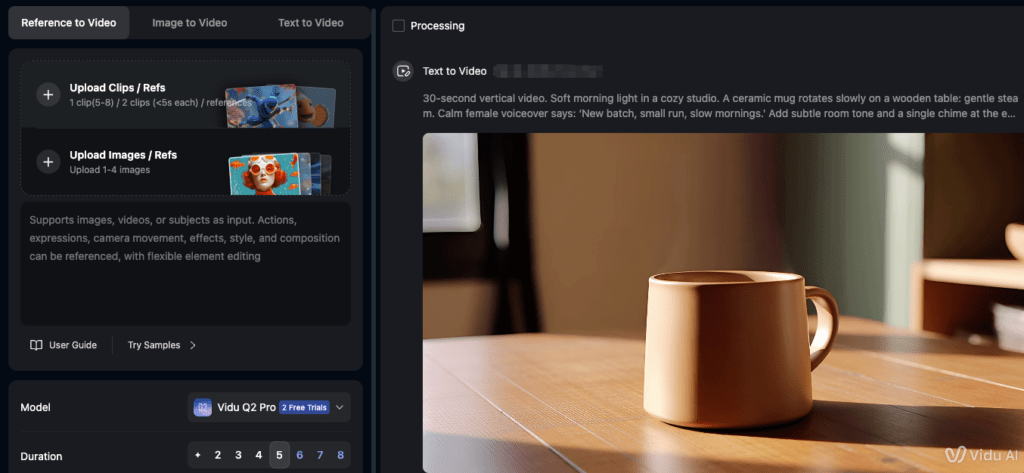
“30‑second vertical video. Soft morning light in a cozy studio. A ceramic mug rotates slowly on a wooden table: gentle steam. Calm female voiceover says: ‘New batch, small run, slow mornings.’ Add subtle room tone and a single chime at the end. Color palette: warm neutrals, hint of sage. Keep pacing unhurried.”
“15‑second product teaser with whispered ASMR. Macro shots of textured linen tote: fingers brushing fabric. Soft breathy voice: ‘Touch, carry, breathe.’ Include quiet cloth swish and subtle reverb. Keep cuts aligned with syllables.”
Q3 (character with lip movement):
“10‑second medium shot of a model outdoors at golden hour. She says, ‘We start small, then we shine.’ Natural wind noise, soft smile, synchronized lips. Maintain gentle bokeh and handheld sway.”
Q2 Pro (brand‑locked product series):
“Loopable 8‑second rotation of a matte black water bottle on slate gray sweep. Match reference color card #1, keep logo embossed and sharp. 35mm lens look, slow clockwise turn, backlight rim at 20%. Repeatable camera path for batch variants.”
“Five variants, same framing: skincare jar centered, glossy label legible. Soft top light + cool bounce from right. Keep brand green exact (reference swatch provided). Minimal reflections: no warping of typography.”
Q2 Pro (campaign consistency with style board):
“Create 3 short clips (6–8s each) matching the attached style grid: muted sand, charcoal, pale blush. Same camera rhythm: alternate left-to-right slider. Preserve logo placement in lower left. Subtle dust-in-air particles: no flare.”
Tip: For Q2 Pro, anchor with references, swatches, logos, prior frames, so it knows what not to improvise. For Q3, narrate the sonic mood as if you’re describing a tiny film: pace, textures, breaths. Hehe, nice when it works.
FAQ
Is Q3’s audio good enough to publish as-is?
Sometimes. In my January tests, Q3’s native audio was “good draft” level. For ads or brand films, I still do a light mix pass. But for social drops, I’ve shipped a few straight from Q3 when the vibe landed. There… just right.
Does Q2 Pro handle logos better?
In my runs, yes, especially small type and metallic foils. It kept edges crisper when guided by references. Your mileage may vary depending on your input assets and version access.
What about speed and cost?
I don’t have universal benchmarks: these can shift by region and plan. Practically, Q3 saved me 10–20 minutes per piece on projects that would’ve needed VO + foley. Q2 Pro saved me retouch passes on brand packs, think two or three fewer Photoshop nudges per asset.