
Table of Contents
Introduction
Tired of spending hours photoshopping product images or struggling to visualize your merchandise in different settings? Cutout.pro’s new Photo Effects gallery is more than just a collection of filters; it’s a creative command center powered by the world’s leading AI image models. For e-commerce professionals, this means you can now generate stunning, high-conversion product visuals in minutes, not days.
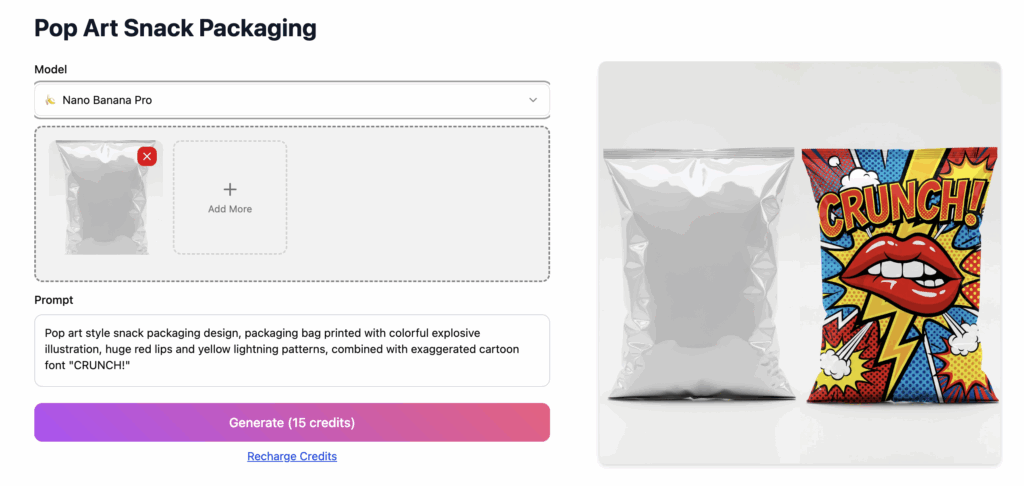
The secret lies in having the right tool for the job. Cutout.pro offers access to several top-tier models—Nano Banana Pro, Nano Banana, Seedream 4.0, and Qwen Image Edit—each with unique strengths. Choosing the best one can dramatically improve your results.
The table below provides a quick comparison to help you decide which model to start with for your specific task.
🍌 Nano Banana Pro: The Realism & Readability Champion
When your goal is a flawless, print-ready image where every detail and word must be perfect, Nano Banana Pro is your go-to model. Built on Google’s Gemini architecture, it sets a new standard for photorealism and intelligent text generation.
- Crystal-Clear Text Rendering: Its standout feature is the ability to generate legible, accurate text within images. This is transformative for creating promotional banners, product labels, or social media ads that require embedded prices, slogans, or logos without needing a separate design tool.
- Studio-Level Control: You can direct the AI using natural language to adjust lighting, camera angles, and depth of field. Transform a basic product shot into a cinematic lifestyle image by simply asking for “soft morning light with a shallow depth of field” or “dramatic studio lighting with a dark background”.
- Best for: Marketing teams needing high-fidelity visual assets where brand elements and text accuracy are non-negotiable.
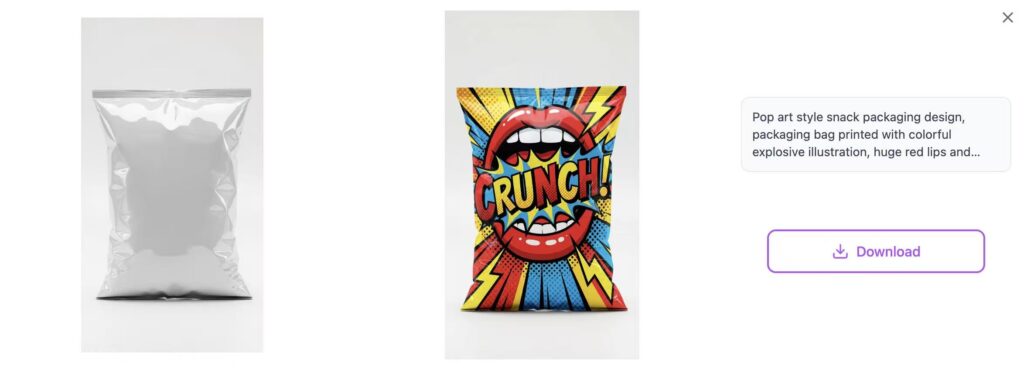
🍌 Nano Banana: The Fast & Reliable Workhorse
For rapid ideation and consistent, reliable edits, the standard Nano Banana model offers an excellent balance of speed and quality. It’s particularly adept at understanding and maintaining the core subject of your image.
- Strong Subject Consistency: It excels at tasks like changing a model’s expression, modifying clothing color, or swapping a background while keeping the main product perfectly intact. This makes it ideal for A/B testing different visual styles for the same item.
- Efficiency in Batch Processing: If you need to apply similar edits (like placing various products on the same background theme) across multiple images, Nano Banana provides a fast and consistent workflow.
- Best for: Sellers and content creators who need to produce a high volume of good-quality, consistent product visuals quickly and without complexity.
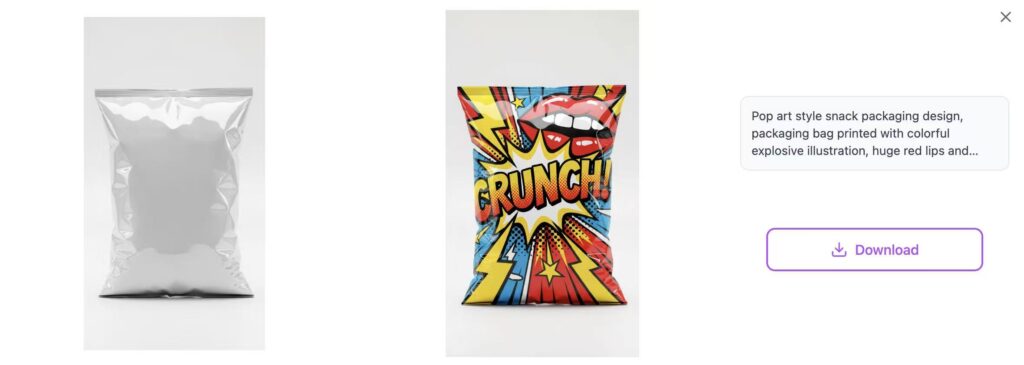
🌱 Seedream 4.0: The Master of Creative Fusion
If your vision involves combining multiple elements—a product, a model, and a specific environment—Seedream 4.0 is unmatched. Developed by ByteDance, it specializes in multi-image understanding and fusion.
- Complex Scene Composition: You can upload a product photo, a model shot, and a background scene, and instruct Seedream 4.0 to blend them naturally. For example: “Place the handbag from image A in the hand of the model from image B, against the café background from image C”. Its ability to maintain consistency across fused elements is powerful for storytelling.
- Advanced Stylization: It goes beyond simple edits to offer strong artistic reinterpretation. You can ask it to reimagine your product photo in a watercolor style, a cyberpunk aesthetic, or as a vintage advertisement, often with impressive creative flair.
- Best for: Building rich, aspirational lifestyle content and advertising campaigns that require sophisticated scene building and artistic styling.
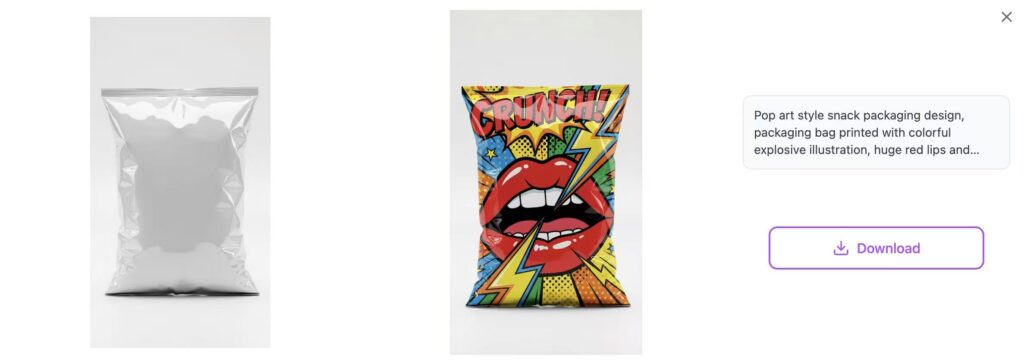
🎯 Qwen Image Edit: The Precision Editing Specialist
When you need to make surgical adjustments to an existing product image without altering its fundamental qualities, Qwen Image Edit (from Alibaba) offers exceptional control.
- Pixel-Perfect Modifications: This model is engineered for precise, instruction-following edits. Think of tasks like changing the fabric pattern on a couch, adding a specific logo to a mug, or seamlessly removing an unwanted object from a product shot.
- Enhanced Consistency Engine: It is particularly reliable at keeping key features intact during edits. Reports indicate high success rates in preserving brand logos (97%) and product materials during transformations, which is critical for accurate product representation.
- Best for: Product catalog managers and designers who need to make accurate, specific changes to existing images, such as updating product colors or creating variant images.
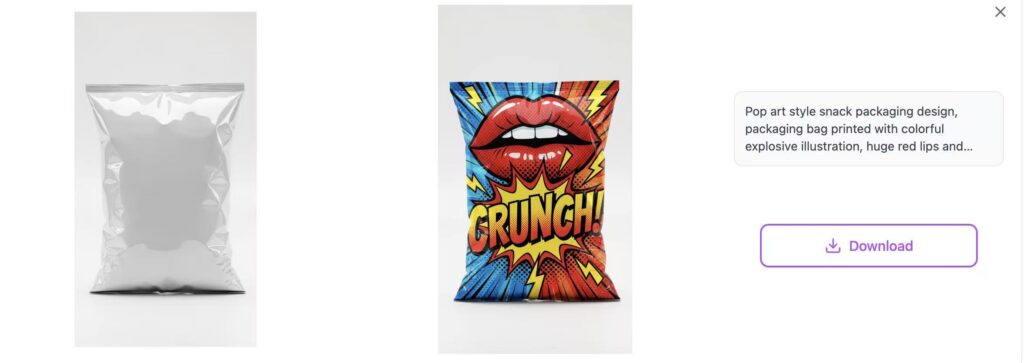
Your Comparison Strategy: A Practical Guide
So, how do you leverage this powerful lineup? Here’s a simple workflow:
- Start with Your Goal: Define your desired outcome first. Is it a hyper-realistic ad, a new background, a creative composite, or a precise edit?
- Run a Model Test: Take your base product image and run the same core prompt through two different models that seem relevant (e.g., Seedream 4.0 for composition vs. Nano Banana Pro for final polish).
- Compare and Refine: Evaluate the outputs side-by-side. Which one better captured the material texture? Which has better lighting? Use the best result as a base, then iterate with more detailed prompts.
Pro Tips for Best Results
- Be Specific in Your Prompts: Instead of “a background,” try “a minimalist Scandinavian living room with natural oak flooring and large windows, afternoon sun.”
- Use Reference Images: All these models benefit from visual references. Upload a photo of the desired background style or lighting mood alongside your product shot.
- Iterate and Refine: Treat the first generation as a draft. Use follow-up prompts to adjust details like shadow intensity, color saturation, or element placement.
Conclusion
Cutout.pro’s multi-model platform effectively democratizes high-level creative production. By understanding the unique superpower of each AI model—Nano Banana Pro’s realism, Seedream 4.0’s fusion, Qwen’s precision, and the standard Nano Banana’s speed—you can strategically produce a diverse, high-quality, and engaging visual catalog that captures attention and drives sales.
Ready to transform your product visuals? Visit the Photo Effects gallery and start experimenting with these powerful models today. The perfect image for your next best-seller is just a few prompts away.