
Artificial intelligence has transformed image generation from a niche experiment into an essential tool for artists, designers, marketers, and developers. In just a few years, these platforms have evolved to create visuals that rival professional photography and human-drawn art. But with a constantly expanding universe of tools, each with its own strengths, weaknesses, and learning curves, choosing the right one can feel overwhelming.
We’ll explore the leading platforms, dive into specialized tools for specific tasks like text and 3D rendering, and explain the advanced techniques that separate amateur results from professional-grade work. Whether you’re looking for a simple web interface or a fully customizable local setup, this will help you find the right digital brush for your creative vision.
The Main Contenders: A High-Level Comparison
While countless AI art generators exist, three major platforms have defined the market: Midjourney, Stable Diffusion, and OpenAI’s DALL-E 3. Each occupies a distinct niche, making the “best” choice entirely dependent on your goal.
| Feature | Midjourney | Stable Diffusion | DALL-E 3 (via OpenAI) |
| Primary Strength | Unmatched artistic quality | Ultimate customization & control | Ease of use & integration |
| Best For | Artists, concept art, marketing visuals | Developers, power users, custom workflows | Beginners, ChatGPT users, rapid prototyping |
| Deployment | Web app / Discord | Local hardware or cloud servers | ChatGPT / API |
| Cost | Subscription ($10-$120/mo) | Free (local) or pay-per-use (cloud) | Included with ChatGPT Plus / API credits |
| Learning Curve | Moderate | High | Low |
Deep Dive into the Core Platforms
Midjourney: The Artist’s Muse
Midjourney consistently produces the most aesthetically stunning and “art-directed” images with minimal prompting. It excels at creating visuals with rich textures, cinematic lighting, and professional composition, making it the favorite for concept artists, creative agencies, and anyone prioritizing visual impact. The latest versions have dramatically improved prompt adherence and introduced powerful features for consistency.
- Key Strengths:
- Exceptional Artistic Quality: Creates painterly, moody, and emotionally resonant images.
- Style and Character Referencing: The –sref (style reference) and –cref (character reference) parameters allow for impressive brand and character consistency across multiple images.
- Vibrant Community: The Discord-based workflow fosters a community where users can share prompts and find inspiration.
- Limitations: It’s a closed ecosystem with no local installation option. Images on lower-tier plans are public by default, which can be a concern for commercial projects.
Stable Diffusion: The Tinkerer’s Dream
Stable Diffusion is the only major open-source model, giving users unparalleled freedom and control. You can run it for free on your own hardware, fine-tune it on custom datasets, and integrate it into complex production pipelines. This flexibility has fostered a massive ecosystem of tools, plugins, and custom models.
- Key Strengths:
- Total Customization: With interfaces like ComfyUI and AUTOMATIC1111, users can build intricate, node-based workflows combining different models, LoRAs, and control mechanisms.
- Advanced Control: Tools like ControlNet allow for precise control over composition, character poses, and depth mapping.
- Privacy and Cost: Running locally means your data stays private and generation is free (aside from hardware costs).
- Limitations: The power comes with a steep learning curve. Achieving high-quality results requires technical knowledge, careful prompt engineering, and managing a local software environment.
DALL-E 3 & The OpenAI Ecosystem: The Accessibility Champion
Integrated directly into ChatGPT, DALL-E 3 from OpenAI is the most accessible and user-friendly AI image generator. Its strength lies in its profound understanding of natural language. You can have a conversation to refine your image, and ChatGPT will rewrite your prompts for better results.
- Key Strengths:
- Superior Prompt Adherence: Excels at interpreting complex, detailed prompts and spatial relationships.
- Conversational Creation: You can iterate on an image by simply asking for changes, like “make the hat red” or “change the background to a sunset.”
- Seamless Integration: As part of the OpenAI ecosystem, it’s easy to integrate via API for developers already using tools like GPT.
- Limitations: It offers less stylistic control than Midjourney and lacks the deep customization of Stable Diffusion. Content filters are also stricter than on other platforms.
OpenArt
OpenArt is a versatile AI image generator designed for creators who want to experiment with different image-generation models and creative styles from one platform. Instead of relying on a single model, users can choose between multiple models depending on the type of image they want to create.
For a fashion or portrait workflow, OpenArt can generate images from text prompts or reference photos, giving users more control over the subject, composition, lighting, and visual style. Reference images can also be used when maintaining a particular character, pose, or visual direction is important.
One of OpenArt’s useful features is the ability to switch between models without completely changing the creative workflow. This makes it easier to compare different approaches and choose the result that best matches the project.
OpenArt also goes beyond basic image generation with tools for image editing, variations, upscaling, and character consistency. This can be useful for creators who want to generate an initial image and then refine it rather than starting from scratch every time.
Main OpenArt features:
- Text-to-image generation
- Image-to-image and reference-image generation
- Access to multiple AI image models
- Image editing and variations
- Character consistency
- Image upscaling
- Different styles and aspect ratios
- Tools for creative and marketing visuals
Best for: Creators, marketers, designers, and anyone looking for a flexible AI image generator with access to multiple models and image-generation workflows.
Pricing options: Free access is available with limited credits, while paid plans provide additional credits and access to advanced features and models.
Beyond the Big Three: Specialized AI Art Generators
The AI art landscape is diversifying, with tools emerging to solve specific problems that the generalists handle poorly.
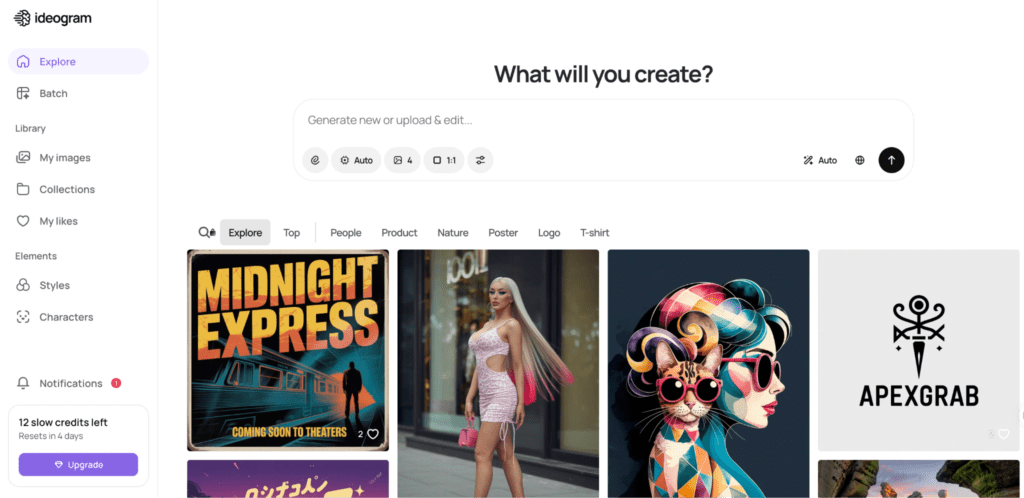
For Flawless Text: Ideogram
For years, getting legible text in an AI image was nearly impossible. Ideogram was built to solve this. It consistently renders words, phrases, and logos with high accuracy, making it the go-to tool for creating posters, brand mockups, and social media graphics.
For Professional Workflows: Adobe Firefly
Trained on Adobe Stock’s licensed library, Firefly is designed to be commercially safe, mitigating copyright risks. Its deep integration into Photoshop via Generative Fill and Generative Expand makes it an indispensable tool for professional designers who need to edit and extend existing images seamlessly.
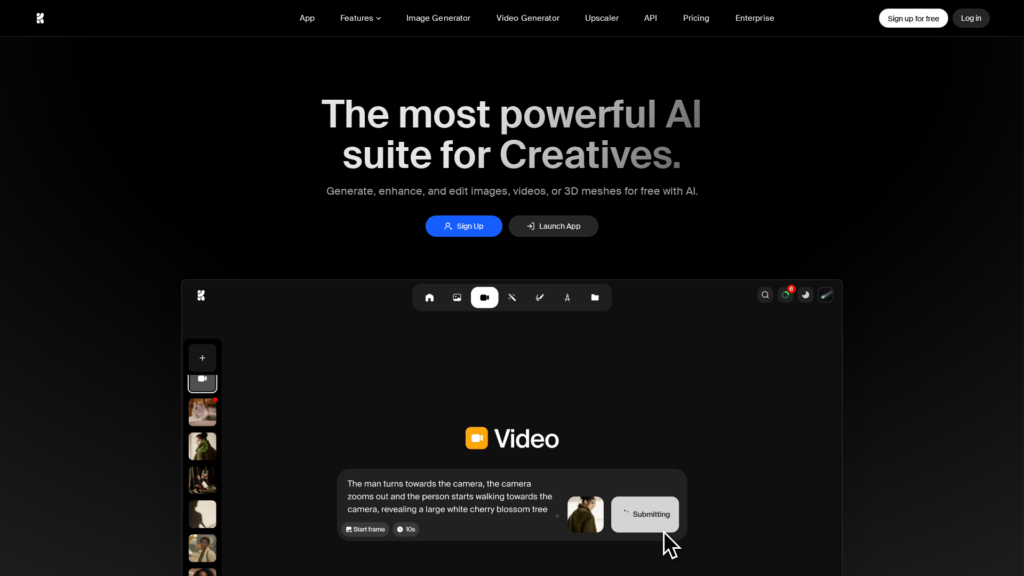
For Real-Time Creation: Krea AI
Krea offers a unique real-time canvas that generates and updates an image as you type or sketch. This interactive approach turns image creation into a fluid, exploratory process, ideal for rapid ideation and live art direction.
For Custom Styles: Leonardo.Ai
Leonardo bridges the gap between ease of use and customization. Its standout feature is the ability for users to train their own custom models on specific styles or subjects, making it powerful for creating consistent assets for games, brands, or personal projects.
The Tech Behind the Magic: How AI Art Generators Work
Most modern AI art generators are latent diffusion models. The core idea is surprisingly intuitive:
- Forward Diffusion (Adding Noise): The model is trained by taking a vast dataset of images and gradually adding “noise” (random pixel data) step-by-step until the original image is completely obscured.
- Reverse Diffusion (Removing Noise): The AI then learns how to reverse this process. A neural network, guided by a text prompt, predicts and removes the noise at each step to reconstruct a clean image from a random starting point.
Early models used a U-Net architecture for this denoising process. However, recent state-of-the-art models like Stable Diffusion 3 have shifted to Diffusion Transformers (DiTs). This newer architecture allows for better scaling, improved understanding of global context within an image, and superior text rendering.
Mastering Your Craft: Advanced Techniques and Workflows
Generating a good image is easy. Generating the exact image you want, consistently, requires mastering advanced techniques.
Achieving Character Consistency
A major challenge in AI art is making the same character appear across different scenes. Different platforms offer unique solutions.
- In Midjourney: The –cref [image URL] parameter uses a reference image to maintain a character’s facial features and overall look. The companion parameter, –cw (character weight), adjusts how closely it adheres, from 0 (face only) to 100 (face, hair, and clothes).
- In Stable Diffusion: This is where the open-source nature shines.
- LoRA Training (Low-Rank Adaptation): You can train a small “LoRA” file on 10-30 images of a specific character or style. When activated with a trigger word, this mini-model steers the generation to perfectly replicate your subject.
- ControlNet & IP-Adapter: These plugins offer incredible control. ControlNet can use a reference image to copy a character’s exact pose (using OpenPose), while IP-Adapter can use an image to guide facial features, similar to Midjourney’s –cref.
The Need for Speed: Real-Time and Accelerated Models
Standard diffusion models can take 30 seconds or more to generate an image. Newer, accelerated techniques produce results in just a few steps.
- SDXL Turbo and Latent Consistency Models (LCMs) are “distilled” versions of larger models. They can generate high-quality images in 1-8 steps instead of 50, enabling near-real-time generation ideal for interactive applications.
Access & Hardware: Where and How to Run These Tools
Your choice of platform is heavily influenced by your hardware and technical comfort level.
- Local Installation: Running Stable Diffusion locally offers maximum privacy, control, and zero recurring costs. However, it requires a powerful NVIDIA GPU with at least 8GB of VRAM (12GB+ recommended for advanced workflows) and a willingness to manage software installations.
- Cloud Platforms: For those without the right hardware, cloud services provide access to powerful GPUs on a pay-as-you-go basis.
Expanding the Canvas: From 2D Images to 3D Models
The next frontier of generative AI is 3D. Tools are emerging that can create textured 3D models from text or images, revolutionizing workflows in gaming, e-commerce, and industrial design. Platforms like Meshy.ai are leading this space, turning simple prompts into game-ready assets in minutes.
The Business of AI Art: Monetization and Ethics
With great power comes great responsibility—and opportunity.
- Making Money with AI Art: Creators are already monetizing their skills by selling AI-generated stock images, creating designs for print-on-demand products (t-shirts, posters), offering freelance logo design services, and illustrating children’s books.
- Ethical & Legal Landscape: The rapid rise of AI has sparked important debates. In the U.S., purely AI-generated art is currently not protected by copyright. Furthermore, the practice of training models on vast, web-scraped datasets has led to lawsuits and the development of protection tools like Glaze and Nightshade, which “poison” artwork to disrupt AI training.
Conclusion: There Is No Single “Best” Tool
The AI art generator landscape is no longer a one-size-fits-all market. Your ideal tool depends entirely on your needs.
- For breathtaking artistic visuals, start with Midjourney.
- For ultimate control and customization, build a Stable Diffusion workflow.
- For ease of use and a conversational approach, use ChatGPT.
- For designs with perfect text, turn to Ideogram.
Many professionals don’t choose just one; they build a “stack” of tools, using each for its specific strength. As this technology continues to evolve at a breakneck pace, the most successful creators will be those who remain curious, adaptable, and willing to experiment with the ever-expanding digital canvas.